Managing Google Ads campaigns requires more than choosing keywords and creating advertisements. Advertisers must continuously analyze performance, identify wasted spending, improve ad relevance, and generate qualified leads.
Claude AI, developed by Anthropic, can help PPC marketers analyze campaign reports, organize keywords, create advertising copy, and identify optimization opportunities.
But the real value comes from knowing what to ask Claude AI.
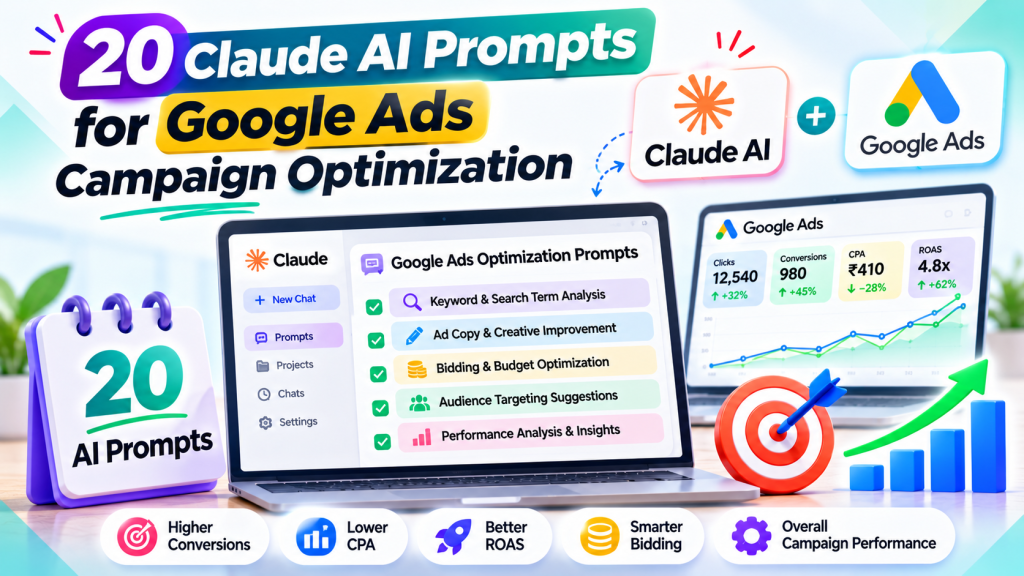
Here are 20 practical Claude AI prompts for Google Ads campaign optimization that marketers can use to make better, data-driven decisions.
How to Use Claude AI for Google Ads
Before using these prompts, export relevant campaign reports from Google Ads in CSV or spreadsheet format.
Provide Claude with your campaign objectives, performance data, target locations, and business information.
Remember that Claude doesn’t automatically access live campaign data unless an authorized integration is configured.
1. Google Ads Campaign Audit Prompt
“Analyze my attached Google Ads performance report. Identify campaigns with high spending, low conversions, or declining performance. Explain the problems, provide supporting metrics, and prioritize optimization opportunities.”
2. Search Terms Analysis Prompt
“Review this Google Ads Search Terms report. Classify searches as relevant, irrelevant, or uncertain based on the business services. Highlight searches generating unnecessary spending and explain why they may not attract qualified customers.”
3. Negative Keyword Research Prompt
“Analyze these search terms and suggest potential negative keywords. Recommend exact, phrase, or broad negative match types where appropriate. Explain possible risks of excluding relevant traffic. Do not make changes automatically.”
4. High-Intent Keyword Research Prompt
“Act as a Google Ads keyword strategist. Review my services and existing keyword list. Suggest additional high-intent keyword ideas grouped by customer search intent. Avoid informational and irrelevant terms. Do not invent search volume or CPC estimates.”
5. Keyword Match Type Optimization Prompt
“Review my keywords, match types, search terms, and conversion performance. Identify where keyword targeting may be too broad or restrictive. Suggest changes supported by actual campaign data.”
6. Responsive Search Ad Copy Prompt
“Create 15 Google Ads Responsive Search Ad headlines under 30 characters and four descriptions under 90 characters. Focus on customer pain points, service benefits, and clear calls to action. Avoid unsupported claims and match the supplied service information.”
7. Cost Per Lead Analysis Prompt
“Analyze campaign spending, clicks, conversions, and CPL. Identify which campaigns have unusually high lead costs and explain possible causes. Recommend ways to improve efficiency without changing the approved advertising budget.”
8. Lead Quality Optimization Prompt
“Compare my Google Ads conversion report with the attached anonymized CRM lead-quality data. Identify campaigns producing qualified enquiries versus irrelevant leads. Calculate cost per qualified lead and recommend areas for investigation.”
9. Conversion Tracking Audit Prompt
“Review the supplied Google Ads conversion-action settings and tracking documentation. Identify possible duplicate conversions, inappropriate primary actions, and missing lead-tracking events. List the checks needed to verify the implementation.”
10. Smart Bidding Analysis Prompt
“Analyze my current bidding strategy, conversion volume, CPA, and performance trends. Evaluate whether bidding targets may be too restrictive. Explain recommendations without automatically modifying campaign settings.”
11. Geographic Performance Analysis Prompt
“Review my Google Ads location report. Identify geographic areas generating qualified leads and areas with weak performance. Consider conversion volume and statistical uncertainty before recommending targeting reviews.”
12. Device Performance Optimization Prompt
“Compare desktop, mobile, and tablet performance using clicks, conversions, CPL, and qualified-lead data. Identify meaningful performance differences and suggest possible optimization opportunities.”
13. Ad Schedule Analysis Prompt
“Analyze campaign performance by day and hour. Identify periods associated with stronger conversion performance and qualified enquiries. Avoid recommendations based on small data samples.”
14. Landing Page Relevance Audit Prompt
“Compare my ad copy and keywords with the supplied landing-page content. Identify messaging inconsistencies, unclear benefits, and possible conversion barriers. Recommend content improvements without suggesting a different landing-page URL.”
15. Performance Max Optimization Prompt
“Analyze this Performance Max report, including search terms, asset groups, channel performance, and conversions. Identify possible wasted spending, weak assets, and optimization opportunities supported by the data.”
16. Ad Asset Performance Prompt
“Review my Google Ads asset performance report. Identify creative themes associated with stronger results and suggest new headline, image, or video concepts for testing. Explain any attribution limitations.”
17. Google Ads Competitor Research Prompt
“Analyze the supplied competitor advertisements and landing-page information. Compare their messaging, offers, benefits, and calls to action. Identify opportunities to make our advertisements more relevant without copying competitors.”
18. Search Campaign Structure Audit Prompt
“Review my campaign and ad group structure. Identify overlapping keyword themes, unclear intent grouping, and unnecessarily complex segmentation. Suggest improvements while preserving current campaign budgets and approved landing pages.”
19. Weekly Google Ads Performance Report Prompt
“Create a professional weekly Google Ads performance summary using the attached report. Include spending, clicks, conversions, average CPC, CPL, key performance changes, and completed optimization actions. Do not invent missing data.”
20. Google Ads Growth Opportunity Prompt
“Analyze my campaign performance, search terms, conversion trends, and qualified-lead data. Identify the five most promising optimization opportunities. Rank them by expected business relevance, evidence strength, and implementation effort. Separate verified findings from hypotheses.”
Best Practices for Writing Claude AI Prompts
To receive useful recommendations, provide Claude with accurate business and advertising context.
Include the following information whenever relevant:
- Business type and services
- Campaign objective
- Target locations
- Approved advertising budget
- Relevant performance reports
- Qualified-lead or sales data
- Advertising restrictions
Request recommendations supported by actual data rather than general assumptions.
Always verify Claude’s calculations, keyword suggestions, and optimization recommendations before making campaign changes.
Can Claude AI Improve Google Ads Performance?
Claude can help advertisers identify problems, understand performance data, and develop optimization strategies.
However, AI-generated suggestions don’t guarantee lower CPC, improved conversion rates, or higher ROAS.
Successful Google Ads management still requires accurate conversion tracking, relevant search targeting, effective advertisements, and continuous monitoring.
Businesses using professional Google Ads services can benefit from combining AI-assisted campaign analysis with experienced PPC management.
Conclusion
Claude AI can make Google Ads optimization more efficient by helping marketers analyze search terms, improve ad copy, investigate expensive leads, and prepare performance reports.
However, the quality of its recommendations depends on the data and instructions provided.
These 20 Claude AI prompts for Google Ads campaign optimization provide a practical starting point for identifying opportunities and making better advertising decisions.
The goal isn’t simply to use AI for faster campaign management. It’s to combine AI-assisted analysis with human expertise to generate qualified leads, improve advertising efficiency, and achieve profitable business growth.