Managing Google Ads campaigns requires continuous monitoring, keyword research, ad copy testing, and performance analysis. For businesses with limited advertising budgets, making the right optimization decisions is essential.
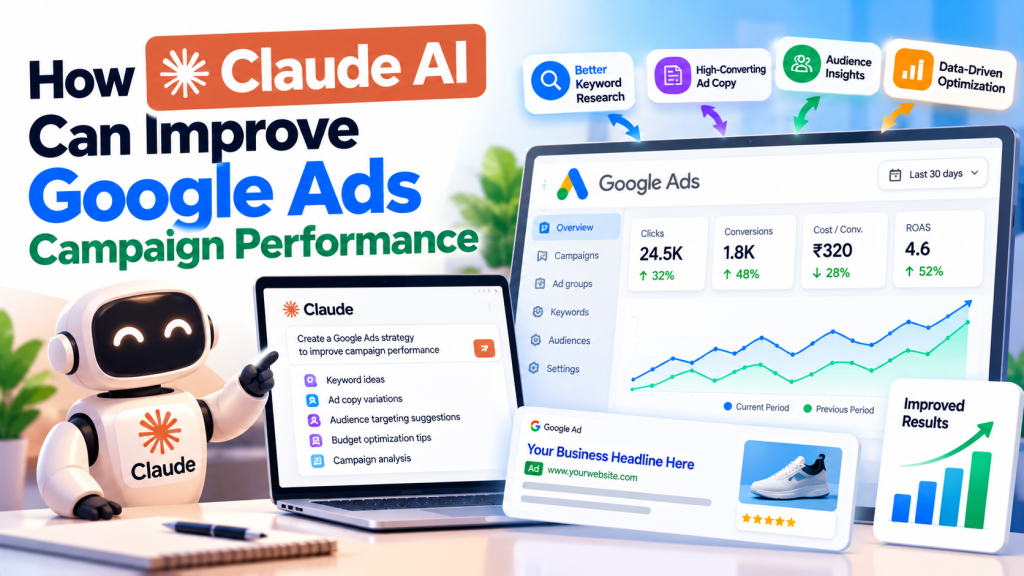
Artificial intelligence is making these tasks easier. Tools like Claude AI can help PPC marketers analyze campaign data, identify potential issues, and develop better advertising strategies.
But can Claude AI actually improve Google Ads campaign performance?
Yes, it can support better decision-making when used with accurate data and human expertise.
In this guide, we’ll explore practical ways to use Claude AI for Google Ads optimization, lead generation, and campaign management.
What Is Claude AI?
Claude AI is an artificial intelligence assistant developed by Anthropic. It can analyze information, interpret documents, generate content, and help solve complex problems.
For PPC marketers, Claude can assist with campaign audits, keyword analysis, ad copywriting, and performance reporting.
For example, you can upload a Google Ads performance report and ask Claude to identify campaigns with high spending but poor conversion results.
However, Claude doesn’t automatically access your Google Ads account. You must provide relevant data or configure an authorized integration.
1. Analyze Google Ads Campaign Performance
One of the most useful applications of Claude AI is campaign performance analysis.
Instead of reviewing large reports manually, advertisers can provide exported Google Ads data for analysis.
Claude can help examine:
- Impressions and clicks
- Click-through rate (CTR)
- Average cost per click (CPC)
- Conversion rate
- Cost per conversion
- Conversion value and ROAS
For example, if one campaign receives 500 clicks but generates only two leads, Claude can help identify possible reasons using the available performance data.
Practical tip: Ask Claude to separate confirmed findings from possible causes and recommend which reports to review next.
2. Improve Keyword Research and Search Intent
Choosing relevant keywords is essential for successful Google Ads campaigns.
Claude AI can help categorize keyword lists based on search intent, service relevance, and potential customer needs.
For example, an AC repair company might target:
- AC repair service near me
- Emergency AC repair
- AC technician in Delhi
- Book AC repair service
Claude can help group these keywords into relevant ad groups and distinguish informational searches from commercial enquiries.
However, Claude cannot reliably provide current search volume, CPC, or competition data without an appropriate data source.
Use Google Keyword Planner to validate keyword opportunities.
3. Identify Negative Keyword Opportunities
Irrelevant search terms can increase advertising costs without generating qualified leads.
By analyzing a Google Ads Search Terms report, Claude can identify potential negative keywords.
For example, a business selling professional marketing services might want to review searches containing “jobs,” “free course,” or “salary.”
Claude can organize irrelevant terms and suggest appropriate exclusion levels.
Important: Review every suggestion before adding negative keywords. Incorrect exclusions can block valuable customer searches.
4. Create More Relevant Google Ads Copy
Writing attractive, relevant advertisements is another area where Claude AI can help.
Claude can generate Responsive Search Ad headlines and descriptions based on:
- Customer pain points
- Service benefits
- Search intent
- Business selling points
- Desired calls to action
For example, instead of a generic headline like “Best Repair Services,” Claude might suggest “Book AC Repair at Your Home.”
You can also ask Claude to write different messaging angles for the same service.
Always verify character limits, factual claims, and landing-page relevance before publishing.
5. Diagnose High Cost Per Lead
A high cost per lead (CPL) can result from expensive clicks, weak conversion rates, irrelevant targeting, or landing-page problems.
Claude can help analyze these factors using campaign reports.
For example:
| Metric | Campaign A | Campaign B |
|---|---|---|
| Spend | ₹15,000 | ₹15,000 |
| Clicks | 300 | 200 |
| Leads | 10 | 20 |
| CPL | ₹1,500 | ₹750 |
In this hypothetical example, Campaign B generates more leads at a lower cost.
Claude can calculate performance differences and suggest areas for investigation.
However, the lower CPL doesn’t prove that Campaign B generates better-quality leads.
CRM data is needed to evaluate qualified enquiries and customer acquisition.
6. Improve Landing Page Conversion Analysis
Sometimes Google Ads campaigns attract relevant visitors, but the website fails to convert them.
Claude can review supplied landing-page content and highlight possible weaknesses, such as:
- Unclear headlines
- Weak calls to action
- Missing trust signals
- Complicated enquiry forms
- Poor alignment between ads and landing pages
For example, an advertisement promoting emergency plumbing should lead to a page clearly explaining emergency plumbing services.
Claude’s recommendations should be validated with website analytics, user behaviour data, and conversion tests.
7. Support Google Ads Conversion Tracking Audits
Accurate conversion tracking is essential for campaign optimization.
Claude can help review exported conversion-action settings, Google Tag Manager documentation, and tracking implementation details.
It can identify potential issues such as duplicate lead events, unsuitable primary conversions, or inconsistent conversion definitions.
However, Claude cannot confirm that tracking works simply by reading a report.
Actual event testing through Google Tag Assistant, GA4 DebugView, and Google Ads diagnostics remains necessary.
8. Simplify PPC Reporting and Client Communication
Creating regular performance reports can be time-consuming.
Claude can summarize exported campaign data and help prepare understandable reports covering:
- Advertising spend
- Leads and conversions
- Cost per lead
- Campaign performance trends
- Optimization recommendations
- Areas requiring attention
Claude supports spreadsheet and document analysis, making it useful for organizing advertising data and preparing reports.
How to Use Claude AI for Google Ads Optimization
Follow this simple workflow:
- Export the required campaign or search-term report from Google Ads.
- Remove unnecessary personal or confidential information.
- Upload the report to Claude.
- Explain the campaign objective and performance targets.
- Ask Claude to identify issues supported by the data.
- Review recommendations before implementing changes.
- Measure the results using Google Ads and conversion data.
For example, you can ask:
“Analyze this Google Ads Search Terms report. Identify irrelevant searches, suggest negative keywords, and explain which recommendations require manual review. Do not recommend budget or landing-page changes.”
This approach keeps AI focused on analysis while advertisers maintain control over account decisions.
Can Claude AI Replace Google Ads Specialists?
Claude AI can assist with analysis, reporting, keyword organization, and copywriting, but it doesn’t replace experienced PPC management.
Successful campaigns still require customer understanding, accurate tracking, campaign strategy, and continuous performance evaluation.
Professional Google Ads services can combine AI-assisted analysis with practical campaign optimization to support better advertising decisions.
Conclusion
Claude AI can make Google Ads management more efficient by supporting keyword research, campaign analysis, ad copywriting, conversion audits, and performance reporting.
However, AI-generated recommendations are only as useful as the data and business context provided.
The most effective way to use Claude AI for Google Ads is to combine AI-assisted insights with accurate conversion tracking, human expertise, and continuous performance monitoring.
The goal isn’t simply to automate more tasks. It’s to make better decisions that help generate qualified leads, improve advertising efficiency, and support profitable business growth.