Are multiple pages on your website targeting the same keywords but struggling to achieve consistent Google rankings? Your website might be experiencing keyword cannibalization.
Many businesses publish blogs, service pages, and landing pages without checking whether existing content already targets similar search queries. This can create unnecessary competition between pages and make it harder to build a clear SEO strategy.
However, ranking multiple pages for the same keyword isn’t always a problem.
In this guide, you’ll learn how to find and fix keyword cannibalization, identify overlapping content, and improve your website’s organic search performance.
What Is Keyword Cannibalization in SEO?
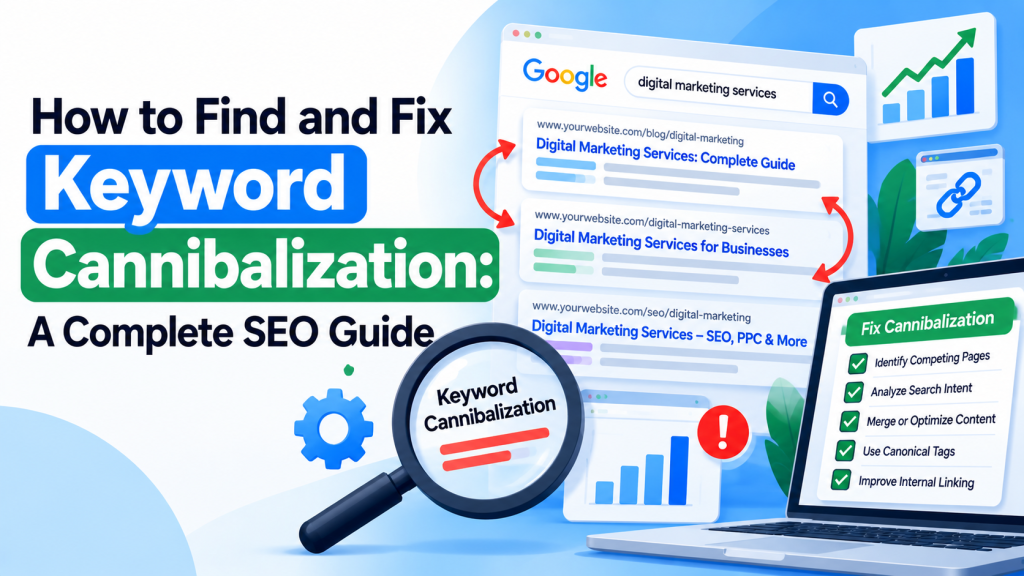
Keyword cannibalization happens when multiple pages on the same website target the same or very similar search intent, creating unnecessary overlap.
For example, imagine a digital marketing website has these pages:
/google-ads-services//best-google-ads-management-services//professional-google-ads-services/
If all three pages provide nearly identical information and target the same audience, they may compete for similar searches.
This can make it difficult to establish one clear, authoritative page for that topic.
Important: Multiple pages ranking for the same keyword doesn’t automatically indicate keyword cannibalization. The issue arises when overlapping pages serve the same purpose and negatively affect search performance.
Why Is Keyword Cannibalization a Problem?
Unnecessary keyword overlap can affect SEO performance in several ways.
1. Unclear Page Relevance
When multiple pages contain nearly identical information, search engines may struggle to identify the most useful version.
2. Ranking Fluctuations
Different pages may appear for the same search query over time, making performance harder to evaluate.
3. Lower Conversion Opportunities
An informational blog might appear for a commercial search where a relevant service page would better meet user expectations.
4. Inefficient Internal Linking
Links pointing toward several similar pages can make it harder to establish a clear content hierarchy.
5. Duplicate Content Issues
Very similar pages may be grouped together by Google’s canonicalization systems, causing Google to select one preferred version.
How to Find Keyword Cannibalization
Before fixing anything, identify which pages actually overlap and whether they serve the same search intent.
1. Use Google Search Console
Google Search Console is one of the most useful free tools for identifying potential keyword cannibalization.
Follow these steps:
- Open Google Search Console.
- Navigate to Performance → Search results.
- Select a relevant date range, such as the last three months.
- Open the Queries tab and select a target keyword.
- Switch to the Pages tab.
- Review which URLs receive impressions and clicks for that query.
If several pages appear for the same keyword, compare their content, rankings, and search intent.
Look for situations where the wrong page consistently attracts traffic or multiple nearly identical pages show unstable performance.
2. Use Google Search Operators
You can use Google’s site: search operator to discover pages discussing similar topics.
For example:
site:example.com "google ads services"
This can help identify potentially overlapping service pages and blog articles.
However, search operators aren’t a complete keyword cannibalization checker and don’t provide reliable ranking history.
3. Use SEO Audit Tools
SEO platforms such as Ahrefs, Semrush, and Screaming Frog can help identify overlapping keyword targets and similar content.
Review ranking keywords, page titles, heading structures, and organic landing pages.
These tools help highlight potential issues, but manual search-intent analysis is still necessary.
How to Fix Keyword Cannibalization
Once you’ve identified competing pages, choose the most appropriate solution based on their purpose and performance.
1. Merge Similar Content
If two articles answer the same questions and provide nearly identical information, consider combining them into one comprehensive page.
Retain the strongest and most useful content.
For example, separate articles about “Google Ads management tips” and “how to manage Google Ads campaigns” may be suitable for consolidation if they target the same intent.
2. Use 301 Redirects
When removing an overlapping page, permanently redirect its URL to the most relevant replacement.
A 301 redirect helps users and search engines reach the preferred content.
Before redirecting, check whether the old page has unique content, valuable backlinks, or significant organic traffic.
Never redirect unrelated pages simply because they share a keyword.
3. Differentiate Search Intent
Sometimes similar keywords deserve separate pages.
For example:
- Google Ads Services: Commercial service page
- Google Ads Cost: Pricing information
- How Google Ads Works: Educational guide
Although these pages discuss Google Ads, they address different user needs.
Give each page a clear purpose, distinct content, and relevant internal links.
4. Improve Internal Linking
Internal links help establish relationships between related website pages.
Link supporting blog articles to the most relevant service or category page using descriptive anchor text.
Avoid directing the same commercial anchor text toward several competing pages without a clear reason.
5. Review Canonical Tags
For duplicate or extremely similar URLs that must remain accessible, canonical tags can indicate the preferred version.
However, canonical tags are not a universal solution for keyword cannibalization.
Google treats them as signals and may select a different canonical URL.
Use them primarily for duplicate or near-duplicate content rather than separate pages with genuinely different purposes.
6. Optimize Titles and Headings
Make sure each page has a unique focus reflected in its title tag, H1 heading, and main content.
For example:
Service Page: Google Ads Management Services for Businesses
Blog Page: How to Optimize Google Ads Campaigns for Better Leads
Clear page positioning helps align content with different search intentions.
Keyword Cannibalization Fixes: Quick Reference
| Problem | Recommended Solution |
|---|---|
| Two blogs targeting identical intent | Merge content where appropriate |
| Duplicate service pages | Consolidate and redirect if justified |
| Similar topics with different intent | Keep separate and differentiate |
| Duplicate URL versions | Review canonical tags |
| Wrong page ranking for commercial searches | Improve page relevance and internal linking |
| Overlapping page titles | Clarify keyword focus and intent |
How to Prevent Keyword Cannibalization
Preventing unnecessary content overlap is easier than repairing a large website later.
Before publishing new content:
- Check existing pages targeting similar queries.
- Assign a primary search intent to each important URL.
- Maintain a keyword-to-page mapping document.
- Review internal linking opportunities.
- Update existing content when a separate article isn’t necessary.
- Monitor important keywords through Search Console.
A regular SEO audit can help identify content overlap before it becomes a larger issue.
Conclusion
Keyword cannibalization can make SEO management more difficult when multiple pages compete for the same search intent without providing distinct value.
The solution isn’t to remove every page ranking for similar keywords. It’s to understand what each page should accomplish and organize your website around clear search intentions.
By using Google Search Console, reviewing content overlap, improving internal links, and consolidating unnecessary duplicates, businesses can build a stronger SEO structure.
Successful SEO isn’t about creating more pages for the same keyword. It’s about creating the most relevant page for each search intent.