Running a Google Ads Performance Max campaign but not getting the results you expected? You’re not alone.
Performance Max (PMax) uses Google’s AI to display ads across Search, Shopping, YouTube, Display, Discover, Gmail, and Maps. While automation can help advertisers reach potential customers, it doesn’t guarantee profitable results.
Poor conversion tracking, irrelevant search traffic, weak creatives, and incorrect bidding targets can quickly waste your advertising budget.
That’s why regular campaign audits matter.
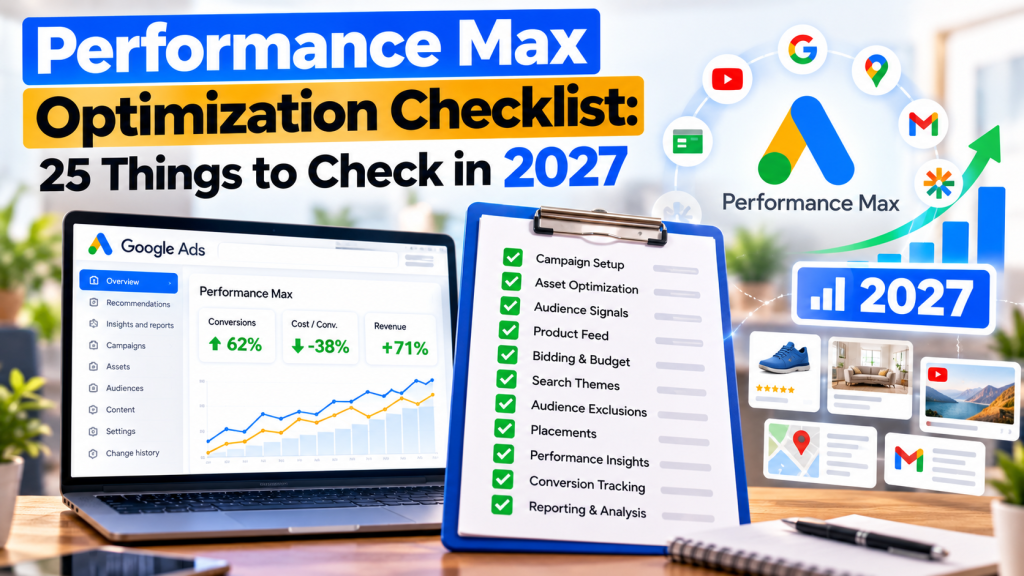
This Performance Max optimization checklist for 2027 covers 25 important checks to help improve campaign performance, reduce wasted spending, and generate more qualified leads or sales.
1. Conversion Tracking and Campaign Goals
1. Check Conversion Tracking Accuracy
Verify that your campaign tracks genuine conversions such as purchases, successful form submissions, and qualified calls. Remove duplicate or incorrectly configured tracking.
2. Review Primary Conversion Actions
Make sure Google Ads optimizes toward valuable business actions rather than low-quality events like page views or ordinary button clicks.
3. Check Conversion Values
For e-commerce campaigns, verify purchase values and currency. For lead generation, consider assigning values based on lead quality when reliable data is available.
4. Review Enhanced Conversions
Check whether enhanced conversions are correctly implemented to improve conversion measurement using privacy-safe, hashed first-party customer data.
5. Track Qualified Leads and Sales
Connect CRM or offline conversion data where possible. This helps Google Ads distinguish genuine business opportunities from irrelevant enquiries.
2. Budget and Bidding Optimization
6. Review Budget Utilization
Check whether your Performance Max campaign is spending consistently and whether results justify the current budget. Avoid changing budgets without reviewing performance trends.
7. Evaluate Your Bidding Strategy
Confirm whether Maximize Conversions or Maximize Conversion Value aligns with your campaign objective.
8. Review Target CPA or Target ROAS
Overly restrictive targets can reduce campaign reach. Compare current targets against historical results before making adjustments.
9. Monitor Cost Per Qualified Lead or ROAS
For lead-generation campaigns, monitor cost per qualified lead. For e-commerce, evaluate ROAS, revenue, and profitability rather than conversion volume alone.
3. Audience Signals and Search Targeting
10. Review Audience Signals
Provide relevant first-party audiences, customer lists, and custom segments. Remember that audience signals guide Google’s AI rather than strictly limiting targeting.
11. Check Search Themes
Add relevant search themes that describe your products, services, and customer intent. Avoid adding unrelated or overly generic themes.
12. Analyze Search Terms
Review the Performance Max Search terms report and search terms insights to identify irrelevant queries and valuable search opportunities.
13. Add Negative Keywords
Exclude irrelevant searches using campaign-level or account-level negative keywords where appropriate. Avoid blocking terms that could generate qualified customers.
14. Review Brand Exclusions
Decide whether branded searches should be included in PMax. Brand exclusions can help separate brand and non-brand performance, depending on campaign objectives.
4. Asset Group and Creative Optimization
15. Review Asset Group Structure
Organize asset groups around relevant product categories, services, or themes. Avoid combining unrelated offerings when different messaging is required.
16. Check Ad Strength
Review asset groups with Poor or Average Ad Strength. Add relevant, high-quality creative assets, but remember that Ad Strength is not a direct measure of profitability.
17. Improve Headlines and Descriptions
Use clear benefits, relevant offers, and strong calls to action. Focus on customer needs instead of generic promotional messaging.
18. Review Image and Video Assets
Use professional images, clear product or service visuals, and relevant videos. Test different creative formats to improve engagement.
19. Replace Underperforming Assets
Review available asset performance indicators and conversion trends before replacing creatives. Avoid making decisions based on limited data.
5. Landing Pages and Product Feeds
20. Check Final URL Expansion
Review whether Google can send users to additional website pages. Use URL exclusions or other available controls to prevent traffic from reaching irrelevant pages.
21. Review Landing Page Experience
Make sure pages load quickly, work properly on mobile devices, match ad messaging, and provide clear conversion opportunities.
22. Optimize Merchant Center Product Feeds
For e-commerce campaigns, check product titles, images, availability, pricing accuracy, product identifiers, and disapproval issues.
6. Performance Analysis and Ongoing Monitoring
23. Review Channel Performance
Use the channel performance report to understand how Search, Shopping, YouTube, and other available channels contribute to results.
Investigate unusual spending patterns or channels generating poor-quality conversions.
24. Analyze Location and Device Performance
Check geographic and device-level performance to identify meaningful differences in conversion rates, lead quality, and acquisition costs.
25. Monitor Trends and Test Improvements
Compare performance across meaningful periods. Test creative assets, audience signals, or bidding targets systematically rather than making multiple changes simultaneously.
Allow sufficient time for automated bidding to adjust before evaluating major changes.
Performance Max Optimization: Important Metrics to Monitor
Tracking the right metrics helps identify whether your campaigns are actually improving.
| Metric | What It Measures |
|---|---|
| Cost Per Conversion | Average cost of generating a conversion |
| Conversion Rate | Percentage of ad interactions resulting in conversions |
| ROAS | Revenue generated relative to advertising spend |
| Cost Per Qualified Lead | Cost of generating a relevant enquiry |
| Conversion Value | Total value attributed to conversions |
| Channel Performance | Results across participating Google channels |
For lead-generation businesses, prioritize qualified enquiries. For e-commerce, focus on purchase revenue, ROAS, and profitability.
Common Performance Max Optimization Mistakes
Even experienced advertisers can make mistakes when managing automated campaigns.
Some of the most common include:
- Optimizing for incorrect conversion actions
- Ignoring search terms and negative keywords
- Using generic images and weak ad copy
- Setting unrealistic bidding targets
- Sending traffic to irrelevant landing pages
- Making frequent changes without sufficient data
- Measuring success only through cheap leads or high conversion volume
Avoiding these mistakes can improve campaign efficiency and help Google’s automation work toward meaningful business goals.
Automated bidding commonly needs one to two weeks to learn, although some campaigns can take longer depending on data volume and changes.
Conclusion
Successful Performance Max campaigns require more than enabling Google’s AI and waiting for conversions.
Accurate tracking, appropriate bidding goals, relevant creative assets, search-term analysis, and consistent performance monitoring all play important roles.
Using this 25-point Performance Max optimization checklist can help businesses identify wasted spending, improve campaign efficiency, and make better advertising decisions.
The key to Performance Max success in 2027 is combining Google’s automation with effective human oversight and data-driven optimization.