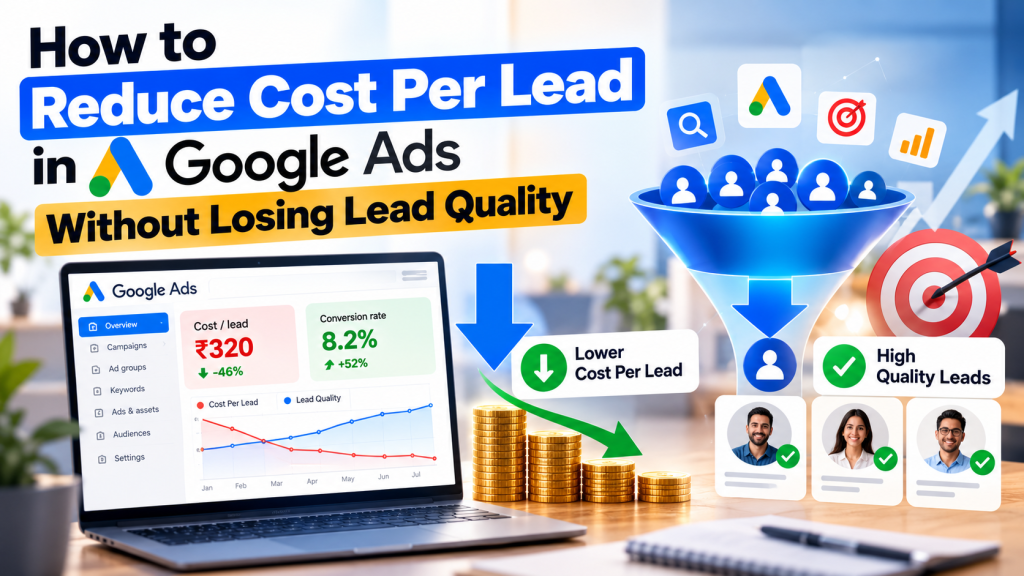
Are you spending more on Google Ads but getting fewer quality leads? You’re not alone. Many businesses struggle with rising advertising costs, irrelevant enquiries, and leads that never turn into customers.
The solution isn’t simply to lower your bids or reduce your advertising budget. It’s to make sure your ads reach people who are genuinely interested in your products or services.
Reducing cost per lead (CPL) in Google Ads requires the right keywords, accurate conversion tracking, relevant ads, and continuous optimization.
In this guide, we’ll explore practical ways to lower Google Ads CPL while maintaining lead quality.
What Is Cost Per Lead in Google Ads?
Cost per lead (CPL) measures how much you spend to generate one lead through advertising.
The formula is:
Cost Per Lead = Total Ad Spend ÷ Total Leads
For example, if you spend ₹20,000 on Google Ads and generate 40 leads, your CPL is ₹500.
However, a low CPL doesn’t always mean your campaign is successful.
Imagine two campaigns:
| Metric | Campaign A | Campaign B |
|---|---|---|
| Ad Spend | ₹20,000 | ₹20,000 |
| Total Leads | 50 | 30 |
| Cost Per Lead | ₹400 | ₹667 |
| Qualified Leads | 10 | 20 |
| Cost Per Qualified Lead | ₹2,000 | ₹1,000 |
Although Campaign A generates cheaper leads, Campaign B delivers twice as many qualified enquiries.
The goal should be to reduce cost per qualified lead, not just generate more cheap leads.
1. Focus on High-Intent Keywords
One of the most effective ways to reduce CPL in Google Ads is to target keywords that indicate buying intent.
Instead of focusing only on broad informational searches, prioritize keywords used by people ready to enquire or purchase.
For example, a business offering AC repair services might target:
- “AC repair service near me”
- “emergency AC repair”
- “AC technician in Delhi”
- “book AC repair service”
These keywords can attract users actively looking for a service.
Start with relevant exact and phrase match keywords where tighter search-intent control is required. Test broad match when conversion tracking and Smart Bidding performance justify it.
2. Regularly Review Search Terms and Add Negative Keywords
Irrelevant searches can waste advertising spend and increase your cost per lead.
Use the Google Ads Search Terms report to identify searches triggering your ads.
For example, a company providing paid digital marketing services might exclude searches containing:
- Free
- Jobs
- Salary
- Internship
- Course
Only add these terms when they’re genuinely irrelevant to your campaign.
Review search terms regularly and add appropriate negative keywords to prevent unnecessary clicks.
This helps direct your budget toward users more likely to become customers.
3. Improve Ad Copy to Attract Qualified Leads
Your advertisements should clearly explain what your business offers and who the service is for.
Avoid generic headlines that attract clicks without communicating the actual service.
For example:
Generic headline: Best Marketing Services
More specific headline: Google Ads Management for Small Businesses
Specific ad copy helps potential customers understand whether your service matches their needs.
Include relevant benefits, service locations, important qualifications, and clear calls to action such as “Request a Quote” or “Book a Consultation.”
Avoid misleading offers or promises just to increase click-through rates.
4. Optimize Your Landing Page for Conversions
Even well-targeted ads can struggle when the landing page provides a poor user experience.
Your landing page should match the user’s search intent and make it easy to contact your business.
Focus on:
- A clear headline matching the advertised service
- Fast loading speed and mobile-friendly design
- Visible contact forms and call buttons
- Genuine customer reviews and trust signals
- Simple forms requesting only necessary information
- Clear information about services and pricing, where appropriate
For example, someone searching for “emergency plumber in Mumbai” should immediately find relevant plumbing service information rather than unrelated general content.
Improving landing-page relevance can increase conversion rates and reduce CPL without requiring additional advertising spend.
5. Fix Your Google Ads Conversion Tracking
Incorrect conversion tracking can make campaigns appear more successful than they really are.
For example, counting every phone button click as a confirmed customer enquiry may inflate reported leads.
Track meaningful actions such as successful form submissions, qualified phone enquiries, appointment bookings, and actual sales.
Use Google Tag Manager and Google Ads conversion tracking to verify that each important action is measured correctly.
For businesses with a CRM, consider enhanced conversions for leads and offline conversion imports to connect advertising performance with qualified leads and customers.
6. Choose the Right Bidding Strategy
Google Ads offers automated bidding strategies, including Maximize Conversions and Target CPA.
These strategies can help optimize campaigns toward conversion goals when reliable tracking data is available.
However, setting an unrealistically low Target CPA can restrict traffic and reduce lead volume.
Instead of making aggressive bidding changes, review historical conversion performance and adjust targets gradually when justified.
For businesses with limited conversion data, prioritize tracking accuracy and campaign relevance before relying heavily on automated optimization.
7. Optimize Location, Device, and Time Targeting
Not every location or time period delivers the same lead quality.
Review campaign performance by:
- Geographic location
- Device type
- Day of the week
- Hour of the day
For example, a local service business may discover that certain cities generate qualified enquiries more consistently than others.
Use this information to refine location targeting and advertising schedules.
Avoid excluding locations or time periods based on limited data. Some automated bidding strategies already account for these signals.
8. Monitor Lead Quality, Not Just CPL
A campaign generating inexpensive leads isn’t necessarily profitable.
Track how many enquiries become qualified leads, appointments, and paying customers.
Important metrics include:
| Metric | Why It Matters |
|---|---|
| Cost Per Lead | Measures the cost of generating enquiries |
| Lead Conversion Rate | Shows how efficiently clicks generate leads |
| Qualified Lead Rate | Measures the proportion of relevant enquiries |
| Cost Per Qualified Lead | Shows the cost of acquiring valuable leads |
| Customer Acquisition Cost | Measures spending needed to acquire customers |
Reviewing these metrics helps you identify campaigns delivering genuine business value.
Common Mistakes That Increase Google Ads CPL
Businesses often increase advertising costs by making avoidable mistakes.
Common examples include using irrelevant keywords, ignoring negative keywords, choosing incorrect conversion goals, sending traffic to poorly optimized pages, and frequently changing bidding strategies without sufficient data.
Another common mistake is focusing entirely on cheaper clicks rather than whether those clicks generate qualified enquiries.
Successful Google Ads optimization requires consistent analysis rather than constant unnecessary changes.
Conclusion
Reducing cost per lead in Google Ads isn’t about getting the cheapest clicks or the highest number of enquiries.
It’s about attracting the right audience, improving conversion rates, and ensuring advertising spend generates valuable business opportunities.
By focusing on high-intent keywords, negative keywords, effective ad copy, accurate conversion tracking, and lead quality, businesses can reduce wasted spending and improve campaign efficiency.
The best Google Ads strategy focuses not only on lowering CPL but also on generating qualified leads that have a genuine chance of becoming paying customers.